Your construction prints, drawn on the map.
Draw every path, duct, handhole and splice where it really goes. Run the build from the office to the foreman's phone, and let your client follow along for free.
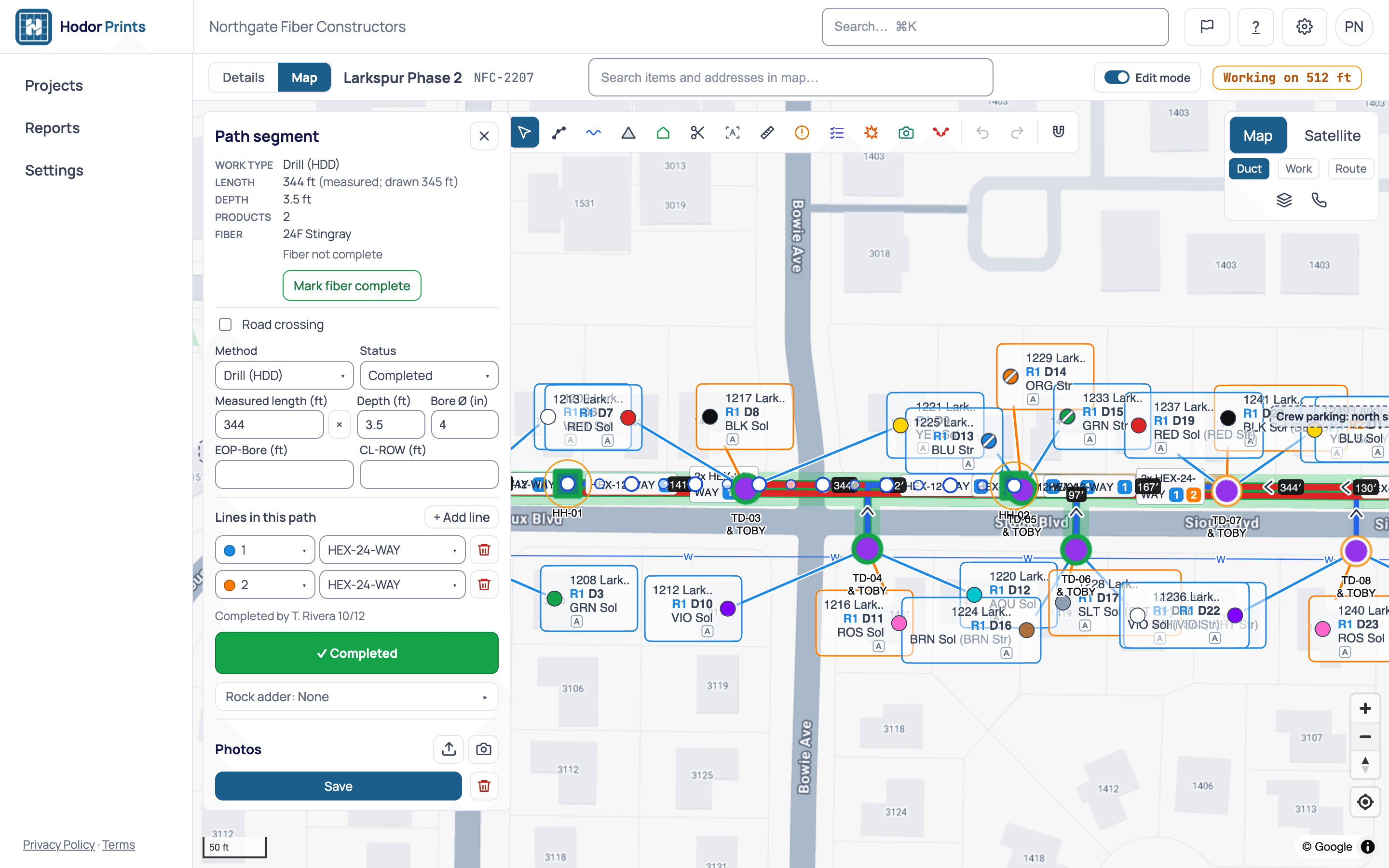
One print, from the office to the trench.
The print lives on the map, so the office, the foreman and the client all look at the same thing.
Prints on the map
Draw dig paths, handholes, vaults, pedestals, FDHs, tobies and DAPs over street or satellite maps.
Ducts, splices and connections
Carry several ducts on one path, connect them duct by duct at each structure (beta), and keep splice cases and fiber ranges with the print.
Your own types
A company catalog of conduits, pipes and duct banks with your sizes, colours and line styles, and structure icons you choose.
Milestones, permit to inspection
Track every project before, during and after the build. Handholes and FDH tick themselves off when their checklists are done.
Foremen and crews in the field
Record footage per crew per day, GPS-stamped photos, and photos and video pinned to the map. Checklists, hit reports and redlines for the office to approve.
Works offline
Save a print to the phone and read it with no signal. Photos and checklist ticks sync when you’re back online.
Free view links for clients
One passcode-protected, view-only link per project. It turns itself off when the project is no longer Active.
Crew cost and income
Price the work with client rates and subcontractor costs, and set what each crew costs per day. The daily report shows income, cost and profit for each print. Rates and crew costs are in beta.
Exports and closeout
GeoJSON, KMZ, shapefile or a scaled plan PDF. Bore logs, reports in PDF or Excel, and a closeout package of photos.
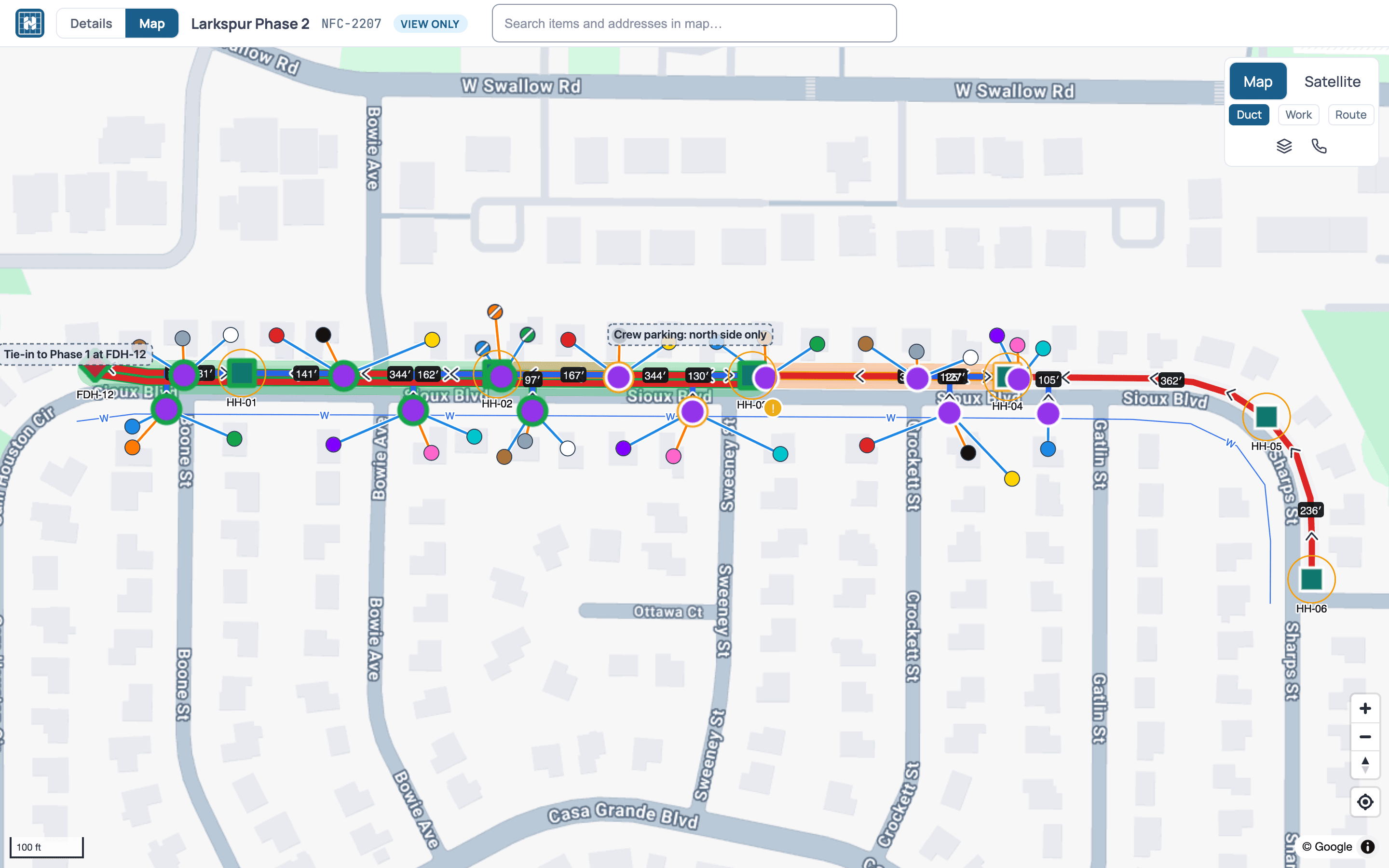
Your client follows along, free.
Turn on the project's view link and share it with its 6-digit passcode. Your client sees the project on the map and can't change anything.
Coming soon
AI print import
Upload a PDF drawing set and Prints reads it into map features for you to review.
Built for utilities. Fiber first.
Water, gas, power and communications: draw any pipe, duct or conduit with your own types.
- Fiber first: microduct bundles, FDHs, tobies and DAPs, with duct-by-duct connections (beta).
- Existing utilities drawn in APWA-based colours: power, gas, communication, water, reclaimed, sewer and storm.
- Your own conduit and pipe types, with diameters, colours and line patterns.
- Dig methods on every path: bore, missile, plow, trench, hand dig, or your own.
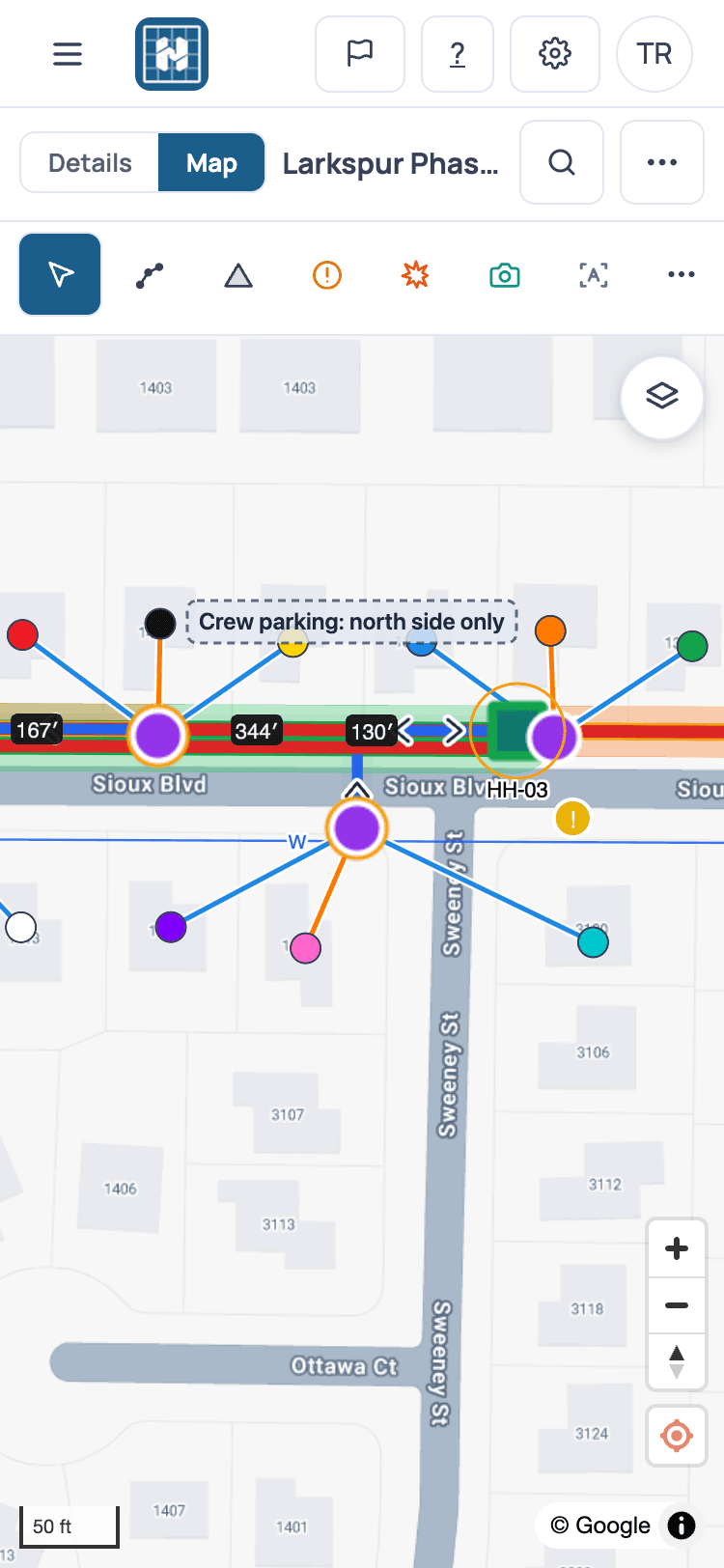
Supports Hexatronic microduct systems.
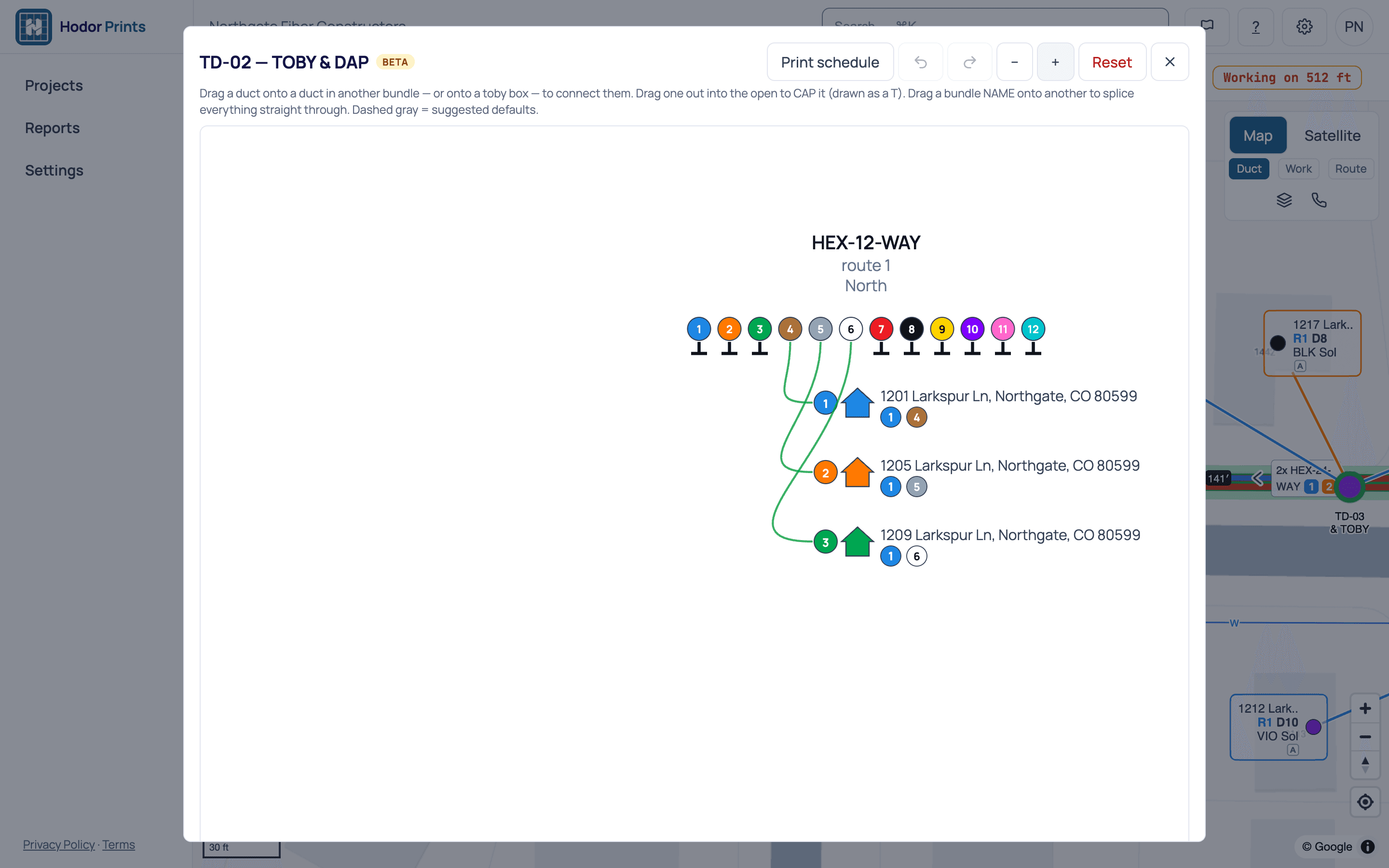
Model the bundles your crews blow fiber through, duct by duct.
- 1-, 2-, 12- and 24-way microduct bundle types.
- Standard TIA-598 colour codes. Ducts 13 to 24 of a 24-way bundle are the striped colours.
- From a home, see its whole duct path back to the FDH: each bundle, duct number and colour.
- 1 Blue
- 2 Orange
- 3 Green
- 4 Brown
- 5 Slate
- 6 White
- 7 Red
- 8 Black
- 9 Yellow
- 10 Violet
- 11 Rose
- 12 Aqua
Hexatronic is a trademark of its owner. Hodor Prints is not affiliated with or endorsed by Hexatronic.
Draw it once. Build from it every day.
Set up
Your catalog of ducts, conduits and structures, your rates, and your people: office, foremen and crews.
Draw the print
The office draws paths, structures and duct connections on the map, and sets the project's milestones.
Build in the field
Foremen record footage, photos and checklists from their phones. Changes come back as redlines for approval.
Share and report
Send your client a view link, see income and cost per day, and export the finished print.
Pay for the people who build. Clients view free.
Prints is priced per seat, by role. Prices will be announced soon. Talk to us now and we’ll set it up for your crews.
Office
Project managers and designers who set up projects and draw the prints.
Pricing announced soon
Foreman
Runs a crew in the field and records the work against the print.
Pricing announced soon
Crew
Crew members who record their work from a phone on site.
Pricing announced soon
Client viewers
Clients follow a project through a view link. No seat needed.
Free
- AI print import is sold in credits per drawing set. Pricing announced soon.
Questions, answered.
Who is Hodor Prints for?+
Contractors and engineering teams building underground utilities, fiber first. The office draws and manages the print, foremen and crews build from it in the field, and clients follow along through a view link.
How do we get started?+
Our team sets Prints up for your company and invites your admin; there is no self-serve sign-up. Talk to us and we'll set it up for your crews. Already invited? Sign in at app.hodorprints.com.
Can our client see the project?+
Yes. Turn on the project's view link and share it with its 6-digit passcode. It only shows the project, can't change anything, and turns itself off after 180 days, when the project stops being Active, or after 10 wrong passcodes in an hour.
Does it work without a signal?+
On a phone, switch a print to Available offline and it stays readable with no signal. Photos and checklist ticks taken offline are queued and sync when you're back online. Other changes need a connection.
Can it read our existing PDF drawings?+
AI print import, which reads a PDF drawing set into map features, is coming soon. Finished prints export to GeoJSON, KMZ, shapefile or a scaled plan PDF.
Is Hodor Prints made for Hexatronic?+
No. Prints supports Hexatronic microduct systems: you can model 1-, 2-, 12- and 24-way bundles with standard TIA-598 colours. Hexatronic is a trademark of its owner. Hodor Prints is not affiliated with or endorsed by Hexatronic.
How is it priced?+
Per seat, by role: Office, Foreman and Crew. Prices will be announced soon. Client viewers are free. AI print import will be sold in credits per drawing set.
Where do I get help?+
Email support@hodorsolutions.com or visit hodorsolutions.com/support.

Put your next build on the map.
Tell us about your crews and your drawings, and we'll set Prints up for your company.